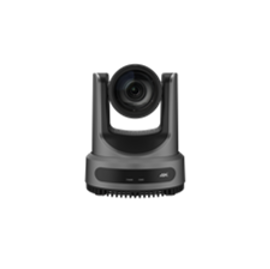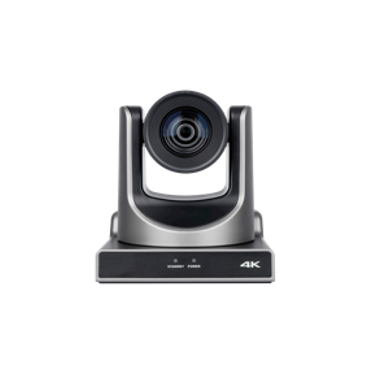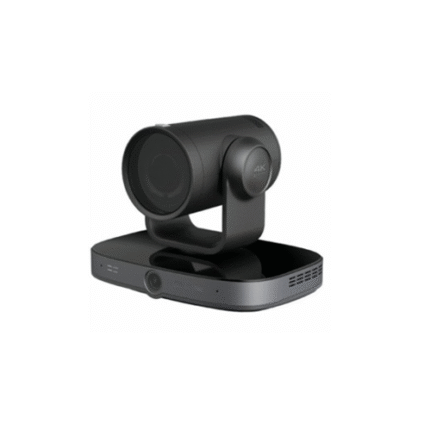


UVC60XS HD PTZ Camera
Product Overview
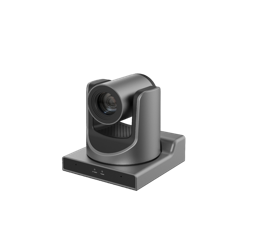
UVC60XS is a high-performance HD PTZ camera designed for professional video scenarios such as video conferencing, education recording and broadcasting, distance education, live streaming and broadcasting. It features a 60.7° wide-angle lens with 20x optical zoom and 16x digital zoom, equipped with a 1/2.8-inch HD CMOS sensor (2.07 million effective pixels) to deliver 1080P full HD images. With upgraded AI tracking technology, advanced image/audio processing algorithms and rich interfaces, it supports multiple control methods and flexible installation, providing clear, stable and intelligent audio-visual solutions for various professional scenarios.
Important Safety Precautions: Use the standard power adapter; do not manually rotate the camera head; ensure secure installation when mounted on walls/ceilings; keep the device dry and well-ventilated; turn off power immediately if abnormal phenomena (smoke, odor, noise) occur; non-professionals are not allowed to disassemble the device.
Package Contents
| Item Name | Quantity |
|---|---|
| Camera | 1 |
| Remote Control | 1 |
| Power Adapter | 1 |
| Power Cable | 1 |
| RS232 Cable | 1 |
| USB Cable | 1 (Optional) |
| User Manual | 1 |
Core Product Features
- HD Image & Flexible Zoom: 60.7° ultra-wide-angle lens, 20x optical zoom + 16x digital zoom; 1080P full HD resolution (1920×1080), capturing clear details from near and far
- Advanced Image Processing: New generation ISP algorithm, optimized white balance and automatic exposure, significantly improving image output performance
- Upgraded AI Tracking: AI face recognition technology, supporting speaker/area tracking; automatic target locking, frame selection and zooming; customizable close-up ratio and tracking parameters
- Leading Auto Focus: Advanced focusing algorithm, enabling fast, accurate and stable lens focusing
- Professional Audio Processing: Exclusive algorithm for reverberation elimination and environmental noise reduction; support EQ adjustment; dual built-in microphones + external audio interface (LINE IN/OUT), compatible with external microphones and wireless lavalier microphones
- Rich Interfaces & Multi-signal Output: Support HDMI, 3G-SDI, LAN, USB 3.0, RS232, RS485 interfaces; HDMI/SDI/LAN can output HD digital signals simultaneously; SDI effective transmission distance up to 150m (1080P30)
- Multiple Control Methods: Support remote control, RS232/RS485 serial port control and web interface control, flexible and convenient operation
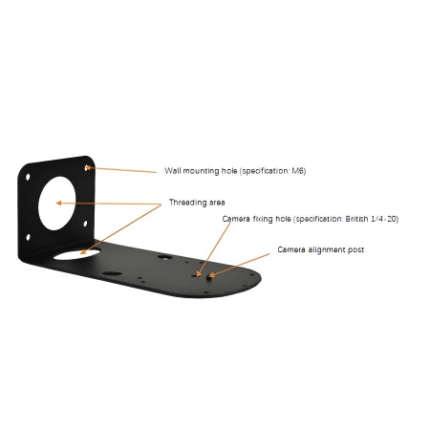
- Versatile Installation: Support wall/ceiling mounting, adapting to different scene layout needs
Technical Specifications
Image & Video Parameters
| Parameter | Specification |
|---|---|
| Sensor | 1/2.8-inch HD CMOS, 2.07 million effective pixels |
| Lens | 60.7° wide-angle, 20x optical zoom, 16x digital zoom |
| Maximum Resolution | 1920×1080 (1080P Full HD) |
| Supported Video Formats | 1080P60/50/30/25/29.97/59.94, 1080I60/50/59.94, 720P60/50/59.94 |
| Image Processing | New generation ISP algorithm, automatic white balance, automatic exposure |
| AI Tracking | Speaker tracking, area tracking, automatic target locking and zooming |
Interface Definition
| No. | Interface Name | Function Description |
|---|---|---|
| 1/4 | Microphone | Built-in dual microphones for audio pickup |
| 2 | STANDBY Indicator | Standby status display |
| 3 | POWER Indicator | Power status display |
| 5 | LINE IN Interface | External audio input |
| 6 | LINE OUT Interface | Audio output |
| 7 | Security Slot | Anti-theft security lock slot |
| 8 | System Select Switch | System mode selection |
| 9 | RS485 Interface | RS485 serial port control |
| 10/11 | RS232 IN/OUT Interface | RS232 serial port control (input/output) |
| 12 | LAN Interface | Network connection and signal output |
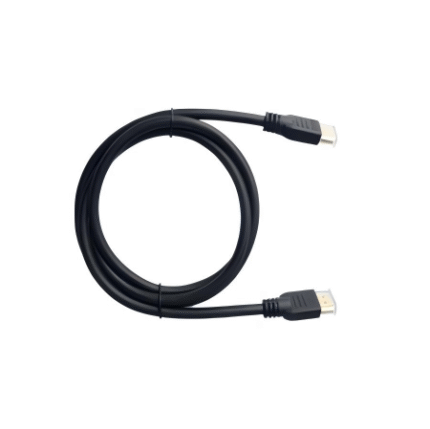
| 13 | HDMI Interface | HDMI signal output |
| 14 | 3G-SDI Interface | SDI signal output (150m max transmission distance for 1080P30) |
| 15 | USB 3.0 Interface | USB data transmission |
| 16 | DC 12V Power Interface | 12V DC power input |
| 17 | Power Switch | Power on/off control |
AI Tracking Function
Tracking Modes
- Speaker Tracking (Presenter): Automatically tracks the speaker’s position through face recognition, supporting single/multi-person scenarios (multi-person scenario supports target selection via remote control/web interface)
- Area Tracking (Zone): Divides active areas into multiple zones (max 4), sets corresponding presets; camera automatically calls the preset when the target enters the zone
Control Methods
- Web Control: Log in to the camera’s web interface (default IP: 192.168.100.88, username/password: admin) to set tracking parameters (close-up ratio, target retention time, tracking start position, humanoid frame, tracking hint, etc.)
- Remote Control: Press F3 to enable tracking, F4 to disable; multi-person scenario uses direction keys to select targets and HOME key to confirm
Customizable Parameters
- Close-up Ratio: Full (whole body), Upper (above knee), Close (above waist), Custom
- Target Retention Time: 0-10 seconds (default 6 seconds)
- Tracking Start Position: Current Location / Preset 1
- Character Position: Left / Middle / Right
- Humanoid Frame: Default / Off / Debug
- Tracking Hint: On / Off
Remote Control & Operation Shortcuts
Key Functions
- PTZ Control: Direction keys for pan/tilt movement; zoom keys (+/-) for slow/fast zoom
- Focus Control: Auto/manual focus, far/near focus adjustment
- Preset Setting: [PRESET] + Number key (0-9) to set; [RESET] + Number key to clear
- AI Tracking: F3 (enable), F4 (disable)
- Backlight Compensation: BACKLIGHT key to turn on/off (effective in auto exposure mode)
- PTZ Reset: P/T RST key for pan/tilt self-test
Operation Shortcuts
- Image Freeze: [#] + [*] + [F4]
- OSD Menu Default English: [*] + [#] + [1]
- OSD Menu Default Chinese: [*] + [#] + [3]
- Display Current IP Address: [*] + [#] + [4]
- Quick Restore Default: [*] + [#] + [6]
- Check Camera Version: [*] + [#] + [8]
- Quick Set Inversion: [*] + [#] + [9]
- Restore Default IP Address: [*] + [#] + [MANUAL]
Applicable Scenarios
- Video Conferencing: Small/medium/large conference rooms, remote collaboration, clear capture of participants’ images and voices
- Education & Training: Classrooms, lecture halls, distance education, recording and broadcasting of teaching content, tracking teachers’ movements
- Live Streaming: Online courses, product launches, event live broadcasts, intelligent framing and tracking of hosts/guests
- Broadcasting & Media: Studio interviews, program production, flexible capture of multi-angle shots
- Government & Enterprise: Video conferences, work reports, remote meetings and training
Common Troubleshooting
- No Image on Monitor: Check power connection and voltage; confirm video cable connection; verify camera self-test after power-on
- Image Jitter: Ensure stable camera installation; eliminate vibration sources near the camera
- Unable to Access Web Interface: Use Chrome/Firefox/Edge browsers (not IE); confirm network connection and IP settings (default IP: 192.168.100.88); check for IP/MAC address conflicts
- Remote Control Not Working: Replace batteries; confirm camera working mode; ensure remote control address matches the camera
- Serial Port Control Failure: Ensure consistent protocol, address and baud rate; check control cable connection
Note: All relevant information such as pictures, parameters and data provided on the website are for reference only. Please refer to the actual product received for specific specifications, appearance and performance.
Please contact our sales team for the latest details.
Please contact our sales team for the latest details.